
General Motors
Elevating the luxury car experience through in-car themes
OVERVIEW
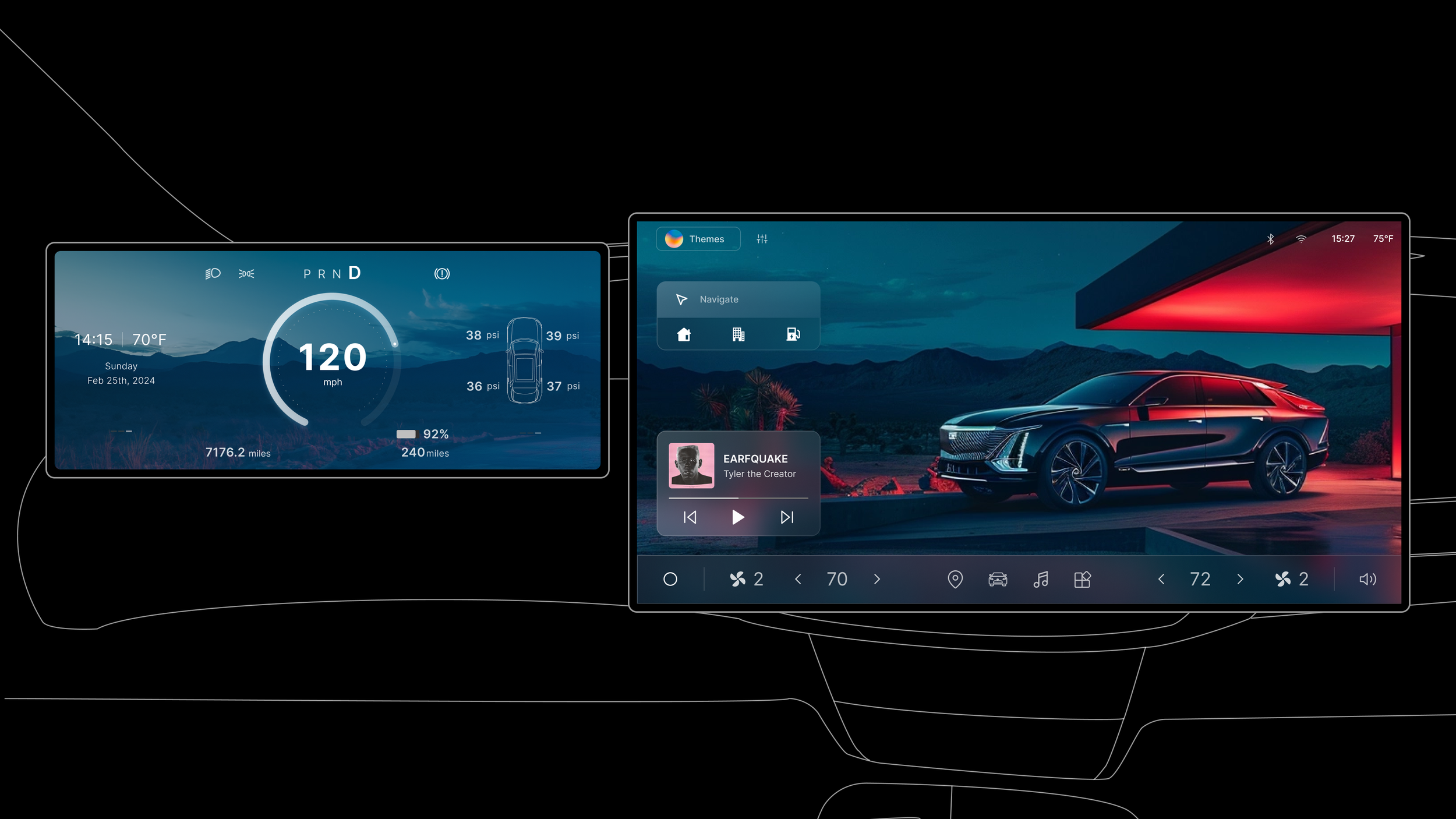
This is a class project for the University of Michigan’s Auto UX course, with General Motors as our client. They challenged us to envision how in-vehicle themes could deliver meaningful, post-purchase value for customers in the luxury car segment.
I designed the entire in-vehicle HMI experience and established the style guide, while my teammate designed the complimentary mobile experience.
ROLE & DURATION
UX Designer
Product research, Ideation & Wireframing, Interaction & Visual Design, Prototyping
Teammate: Luis Gurrero
Nov 24 - Dec 24, 4 weeks
The Ask
After a luxury car is purchased, how might we deliver value to the customers through in-car themes?
Understanding the Problem Space
Due to the tight timeline of this project, I gathered my information mainly by asking client questions and reading market reports of the luxury car sector.
I also did a deep dive in current HMI designs, benchmarking over 30 vehicle’s HMI systems, with a focus on Chinese luxury EVs, as they lead the way in experience innovation.
Key Findings
01. Evolving Definition of Luxury
Luxury is no longer only about quality and craftsmanship. Customers now look for advanced technology, “cool” features, and personalization options that elevate the driving experience.
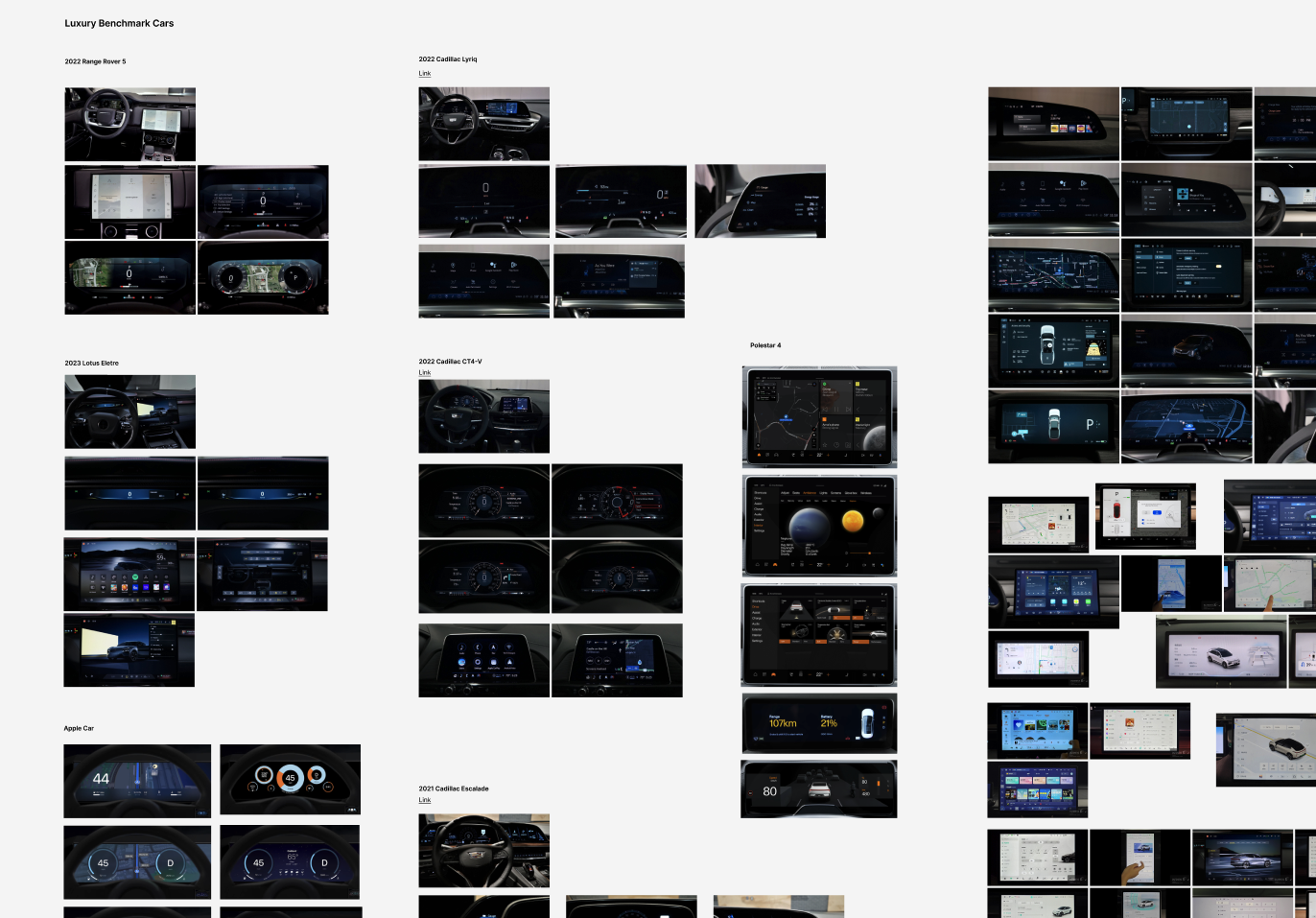
02. Vehicle-Centric Displays
Many luxury car display the vehicle front and center on the screen, strengthening the connection between drivers and their cars.
03. Holistic In-Car Themes
In-car themes now extend beyond displays, incorporating scent, ambient lighting, massage seats, and more. This breadth of options shows the endless possibilities for creating immersive, personalized experiences.
Key Design Decision 1
In-car themes as an orchestrated experience tailored to each scenario.
In-car themes are not just about aesthetics; they should also be thoughtful and practical. We tailor each in-car theme to feature visuals that are right for the mood and scenario, and change the information displayed to ensure driver can easily access the most important features with one click.
Scenario: Upon entering the car, the display is in default, presenting information such as the current weather.
Once the driver inputs “Work” as the destination, the system automatically switches to Focus Theme—a commute-oriented interface highlighting critical features like calendar updates and assisted driving, making the commute effortless.
Key Design Decision 2
Customizable widgets and layout make sure everyone is taken care of.
On the homepage, car owners can customize and rearrange widgets to suit their needs and preferences. They can also link the widget layout to different in-car themes, allowing for easy changes based on the scenario.
Here are some examples:
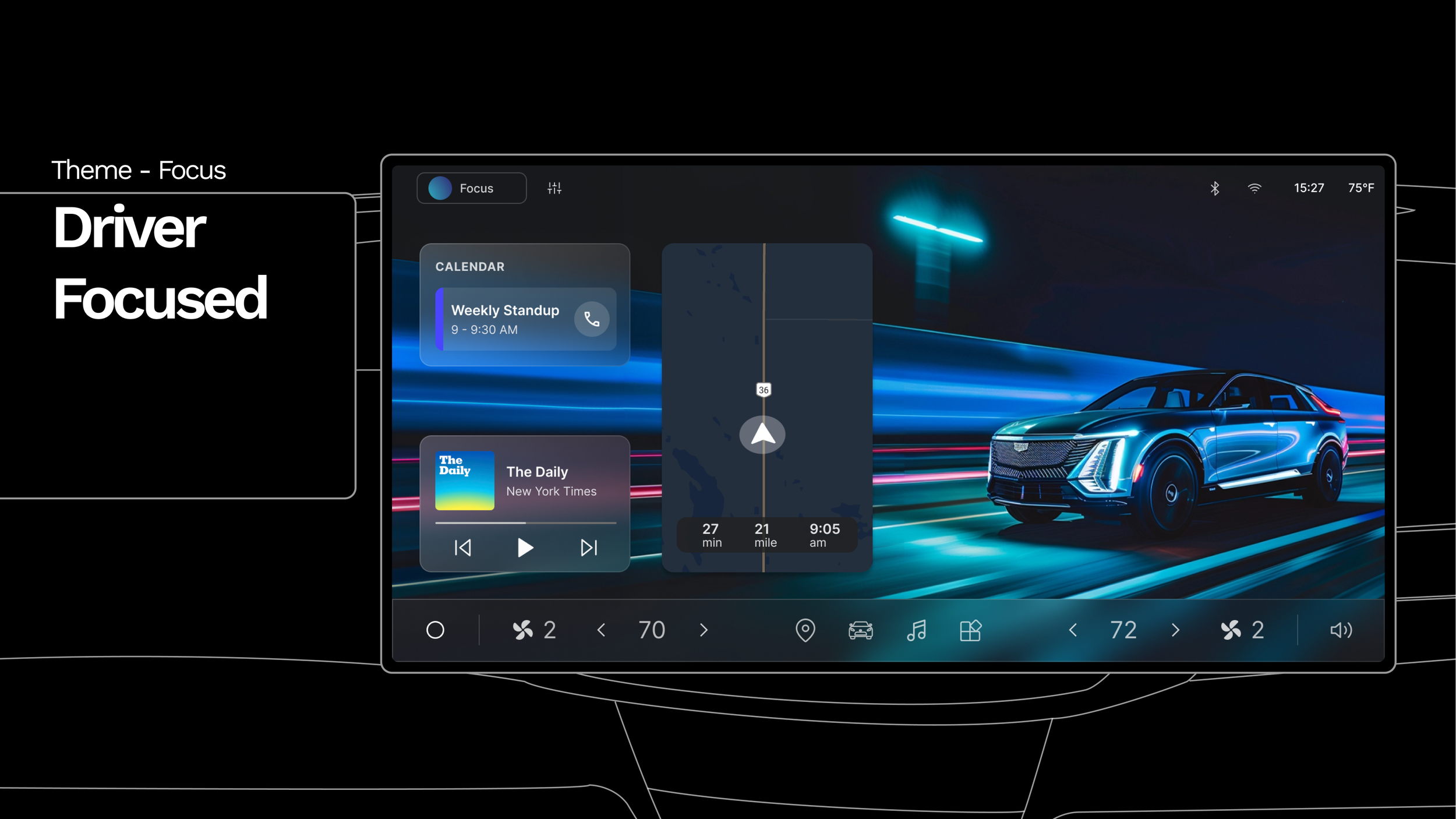
This driver-focused layout highlights key commute widgets—calendar, navigation, and media—front and center to keep essential information easily accessible and minimize distractions.
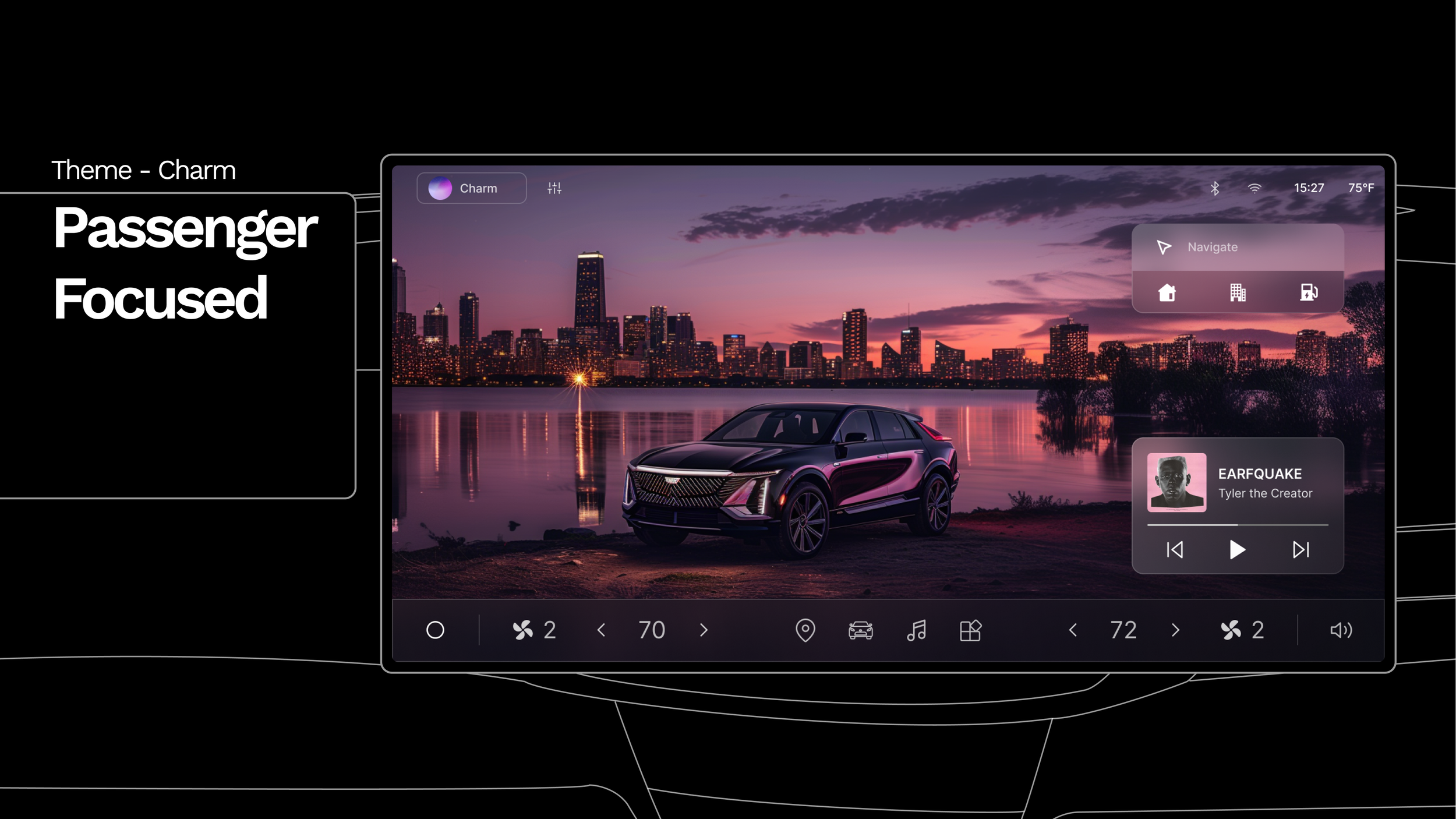
Taking a date home? Turn on Charm mode which makes the passenger the VIP.
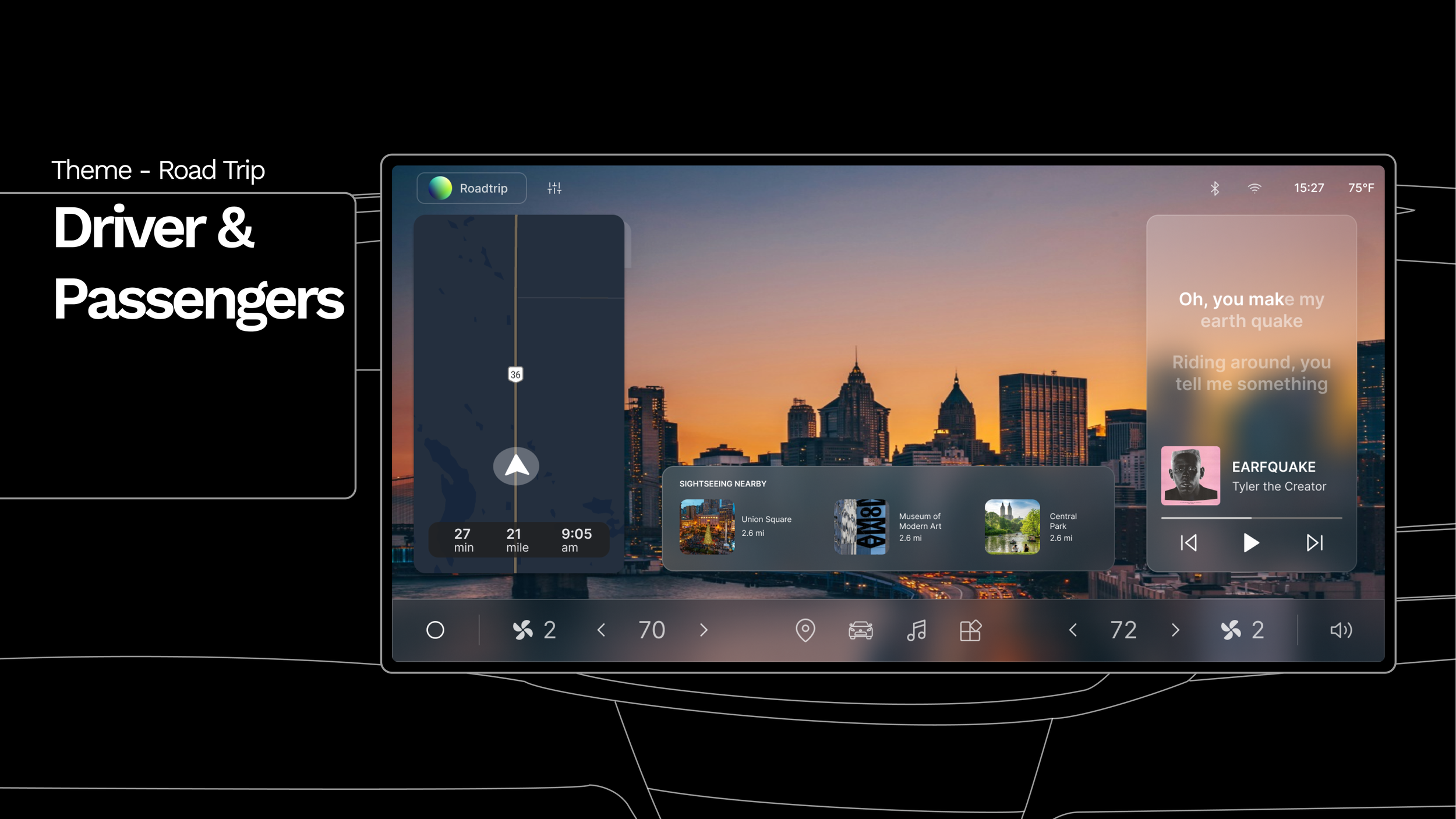
Going on a road trip? Both you and your friends can have what you need for the road.
Key Design Decision 3
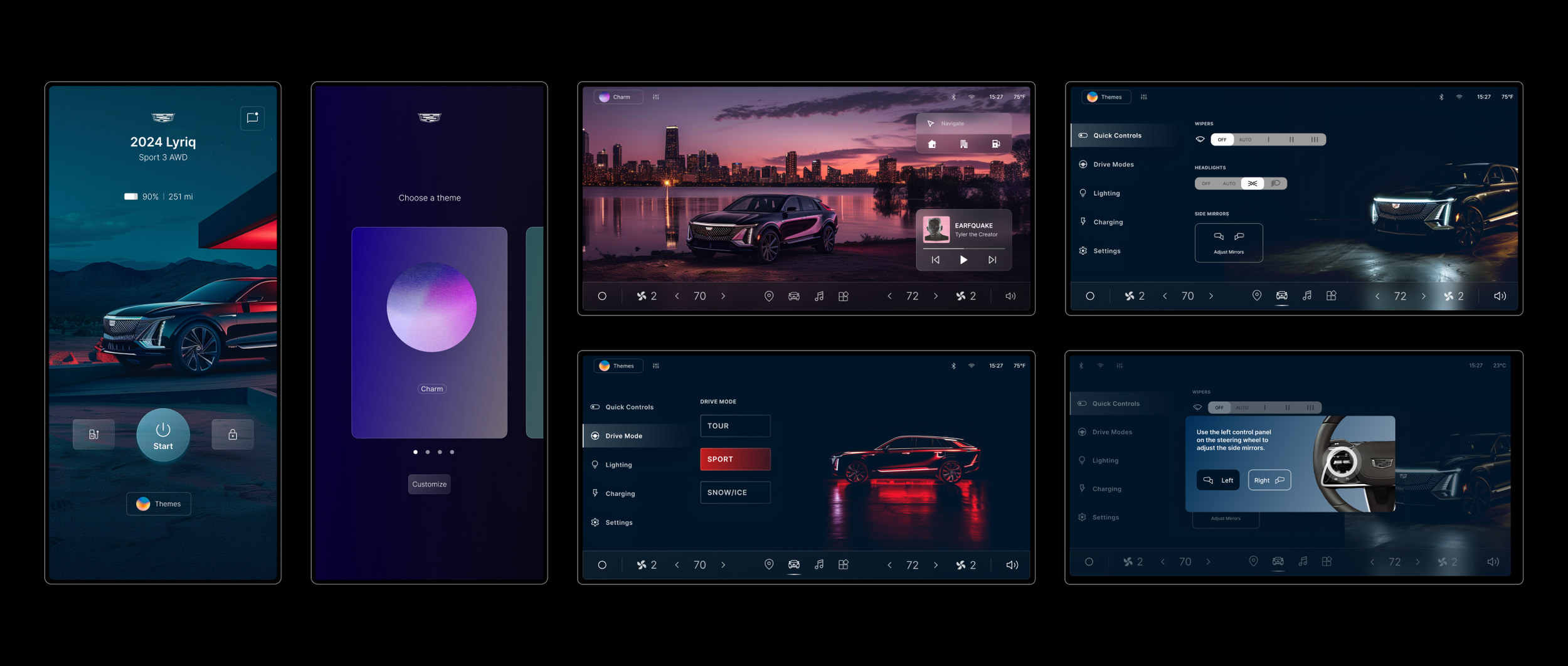
Consistent vehicle images and sleek UI across platforms enhance luxury feel.
The cohesive design approach not only simplifies user engagement but also reinforces the vehicle's premium positioning in the market, elevating the the overall user experience.
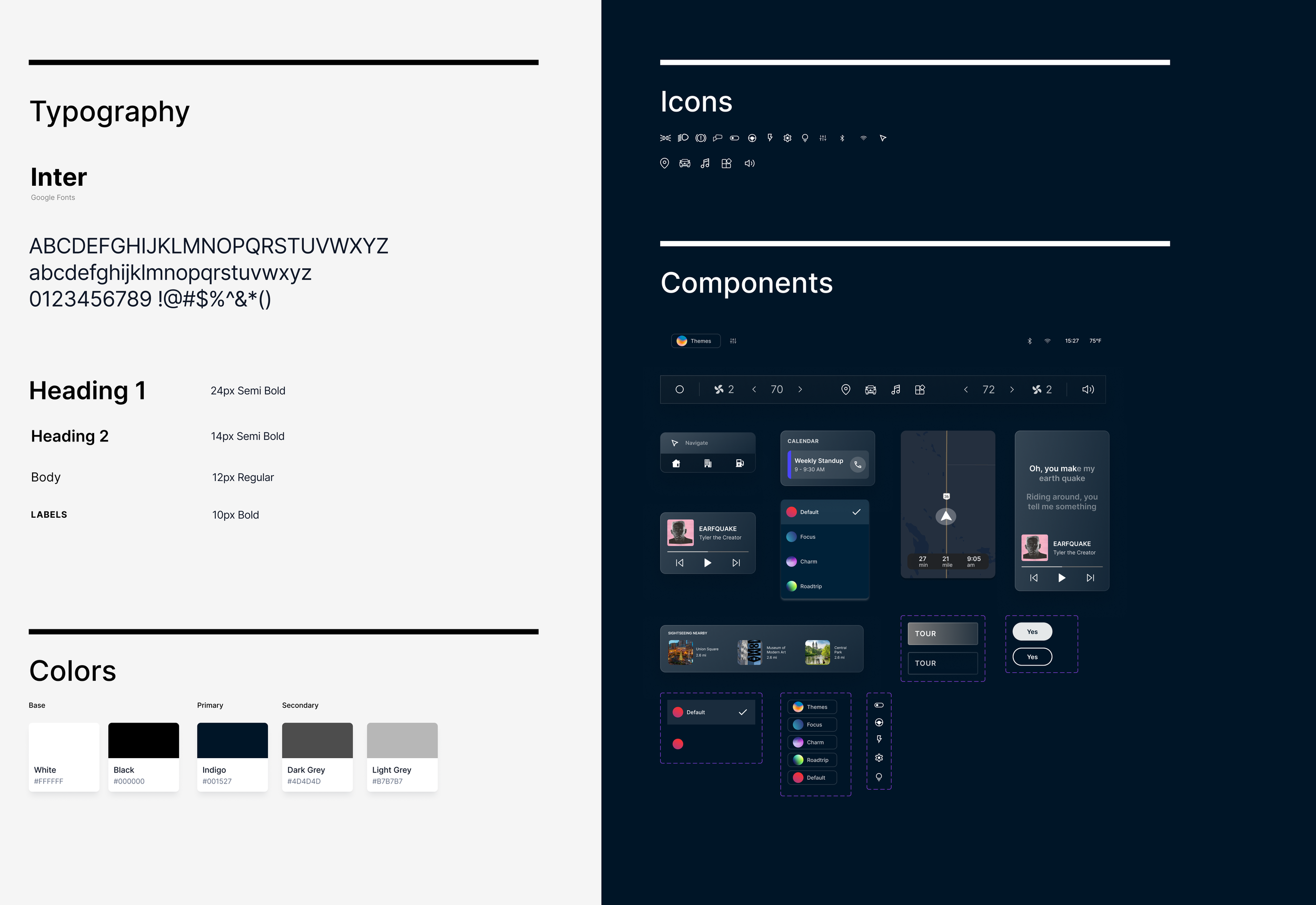
Style Guide
The secret sauce…
Just in case you are wondering: where do I get all these high-quality, cool-looking neon-lit Cadillac pictures?
Generative AI! I had a lot of fun experimenting with it and I’m super happy with the results. The consistent futuristic look helped me achieve my design vision.
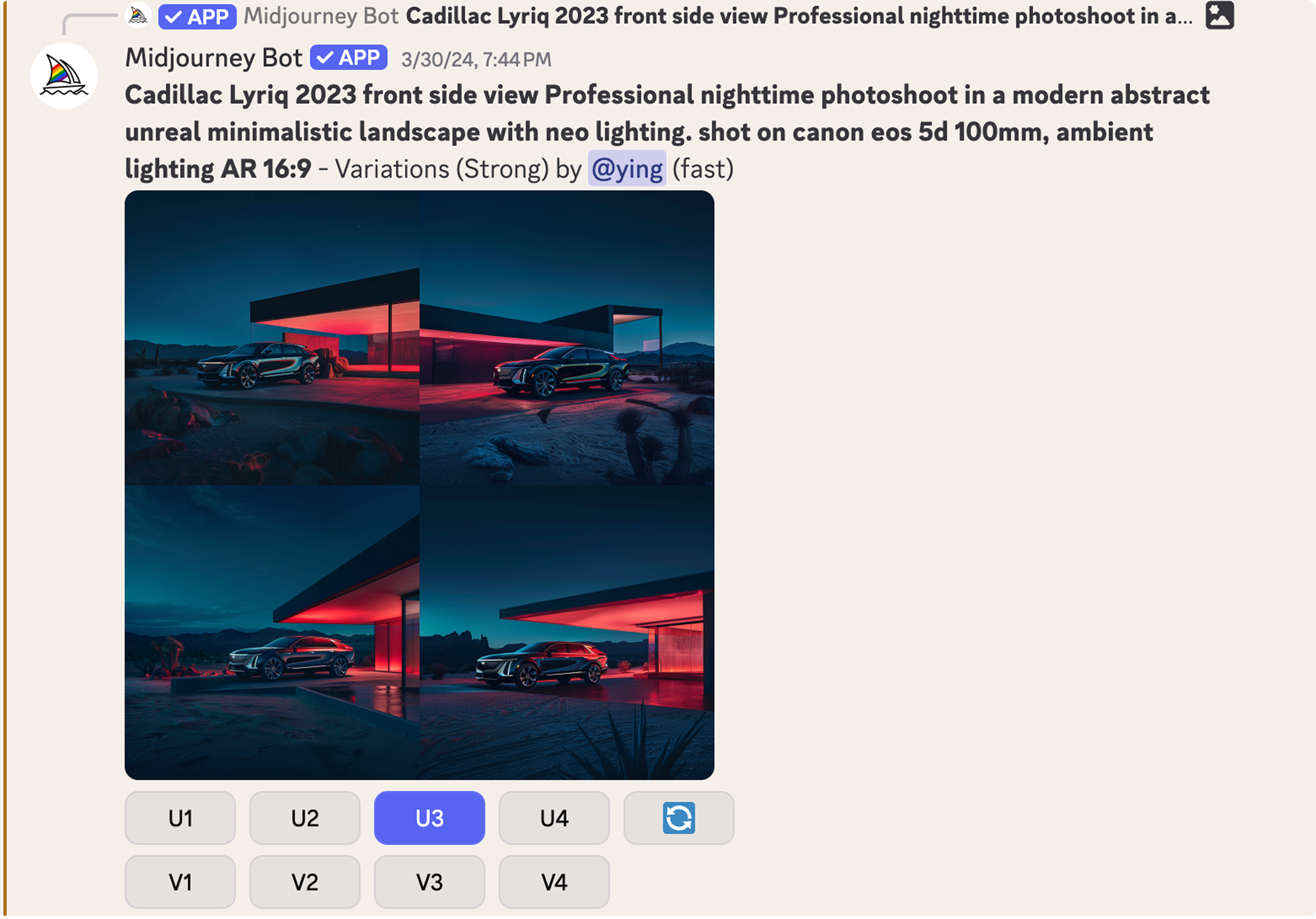
I used Midjourney to generate and tweak the vehicle image, experimented with different prompt until I generated the one I was looking for.
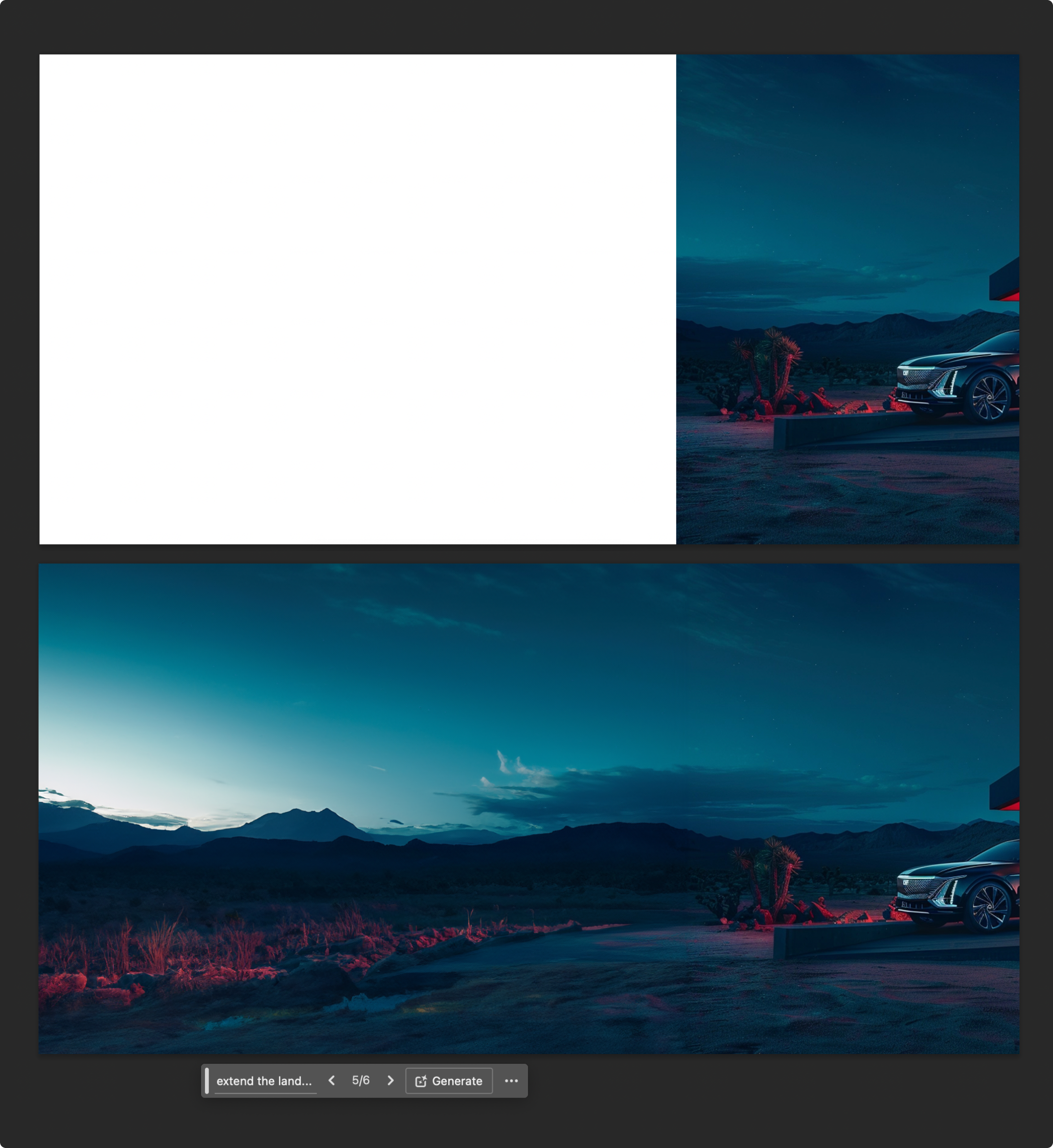
Need a wider image? No problem. Photoshop Auto-generate can help!
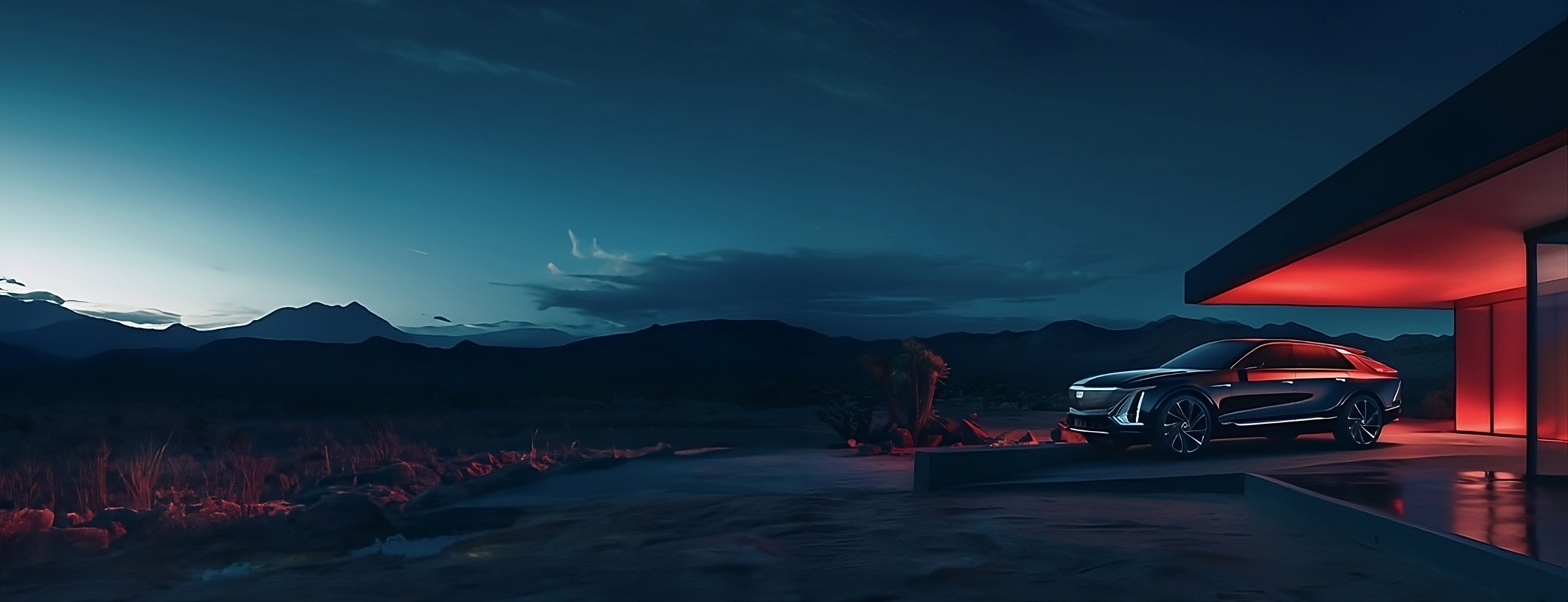
Ta-da!
Reflections
Balancing Usability, Safety, and Context
Validating Concepts through User Testing
Designing for in-car displays pushed me to think beyond traditional UX principles. While usability remains important, I had to prioritize safety, ease of access, and the driving context—considering what users are doing and their physical environment at any given moment.
While we designed with real-life scenarios in mind, our designs were based on high-level assumptions, and we may have overlooked important user needs. I wish we had more time for user testing, validate our ideas, uncover hidden pain points, and refine the experience.