
Moxin
Explore, download, and run open-source Large Language Models locally
OVERVIEW
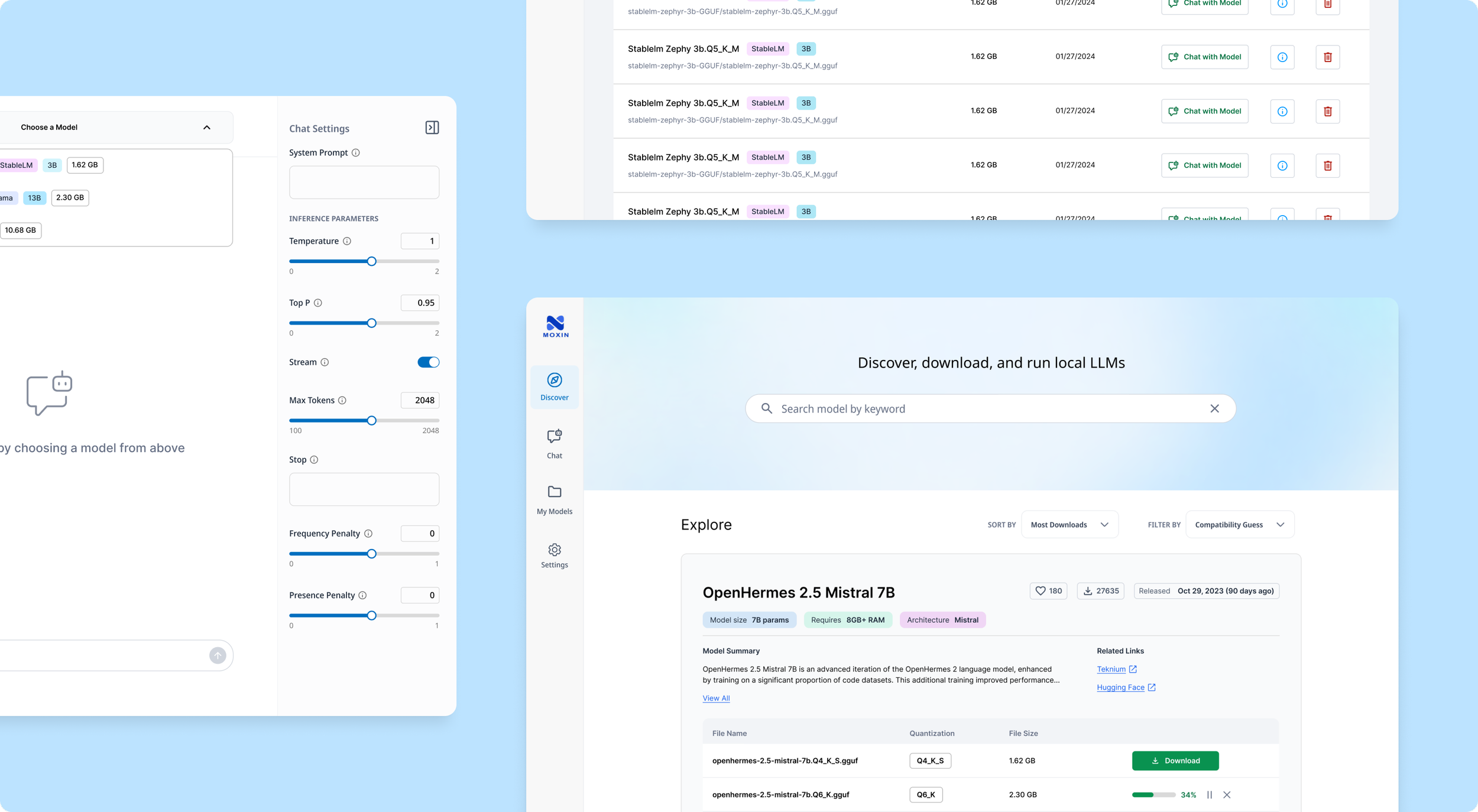
Moxin (now named Moly) is a desktop app that lets users explore, download, and run open-source Large Language Models (LLMs) locally—think of it as an open-source alternative to ChatGPT.
Developed under Project Robius, a decentralized initiative promoting Rust-based applications, Moxin served as a flagship app to advocate Rust development and refine its underlying framework.
As the sole Product Designer, I partnered with a team of developers from initial concept to MVP delivery, shaping user flows and product experience.
ROLE & DURATION
Product Designer
Product Research, Information Architecture, Wireframing, Interaction & Visual Design, Prototyping
Team: 1 Designer, 6 Developers, 1 Project Manager
Feb 2024 - Aug 2024 (7 months)
The Problem
Closed-source AI tools like ChatGPT are easy to use but limit user autonomy, model choices, and customization.
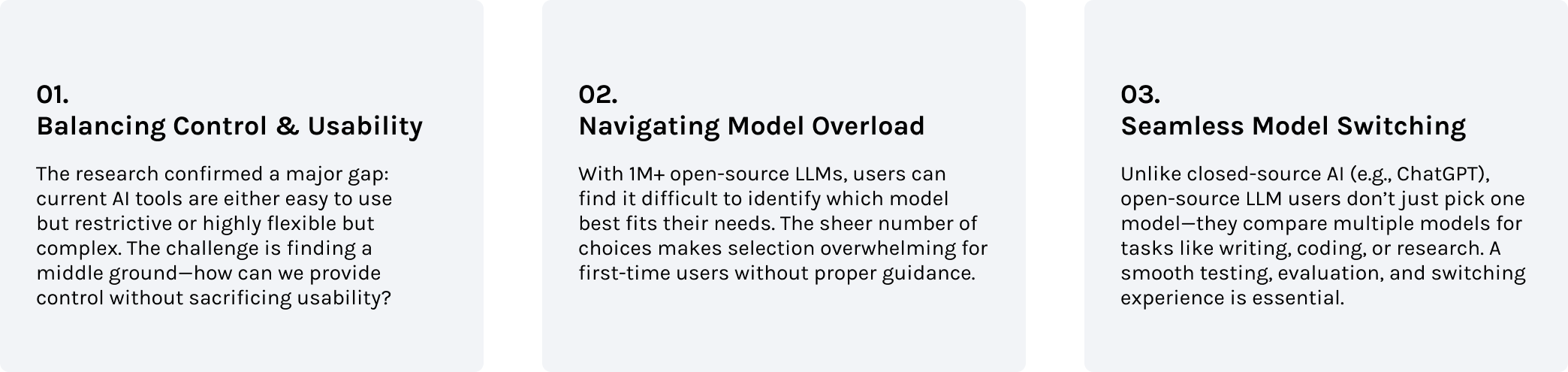
Meanwhile, open-source LLMs offer freedom and flexibility but require deep technical knowledge to install, configure, and run. The complexity of setup, overwhelming number of options, and lack of user-friendly interfaces make open-source LLMs inaccessible to many users.
We saw a need for a tool that lowers the technical barrier, making it easy for everyone to explore, compare, and run different open-source models locally.
How might we design an intuitive platform that balances usability and flexibility, empowering more users to experiment with open-source LLMs?
Understanding the Landscape
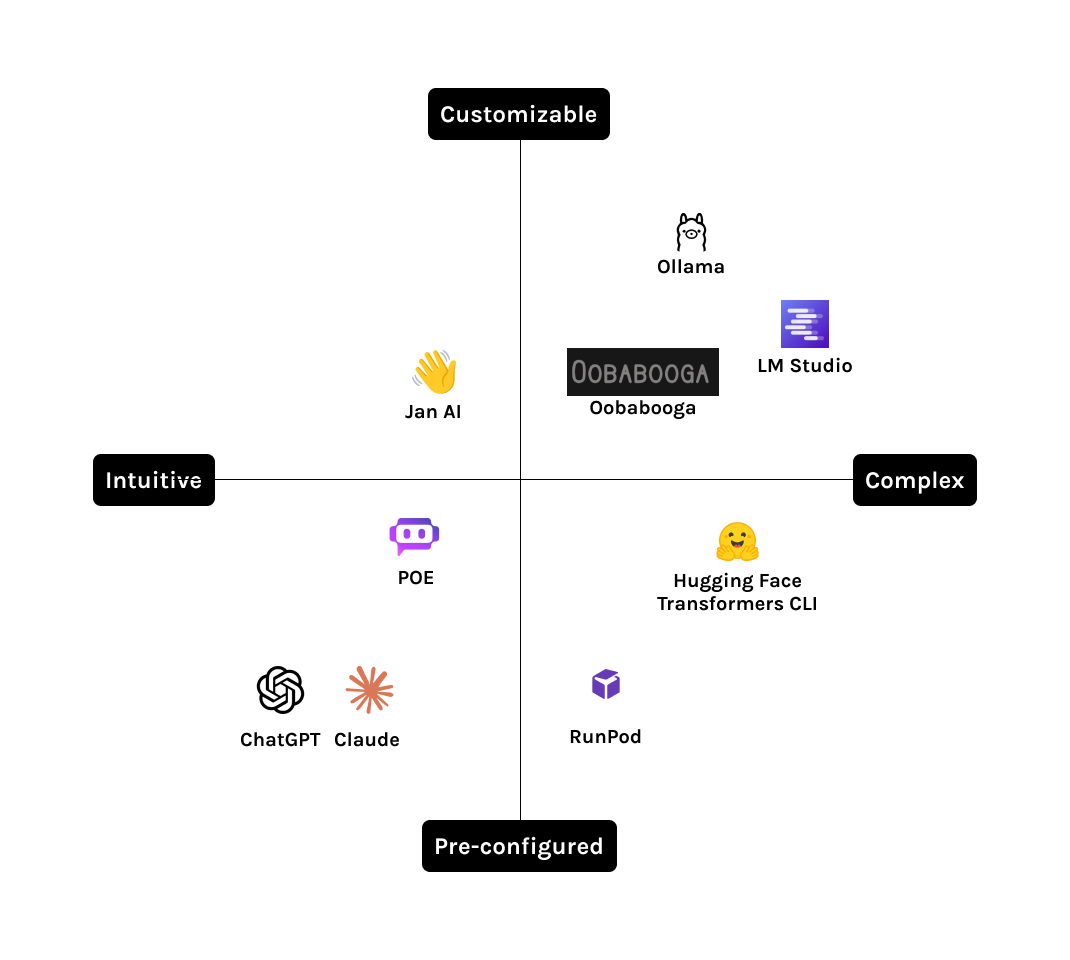
During the discovery phase, I analyzed competing products to understand their features and design patterns.
Since we don’t have users yet, I also joined some of their user communities, observing real discussions about their experiences, use cases, and pain points. This allowed me to gather insights into what users value, what frustrates them, and best practices we can apply.
Insights
Defining the MVP
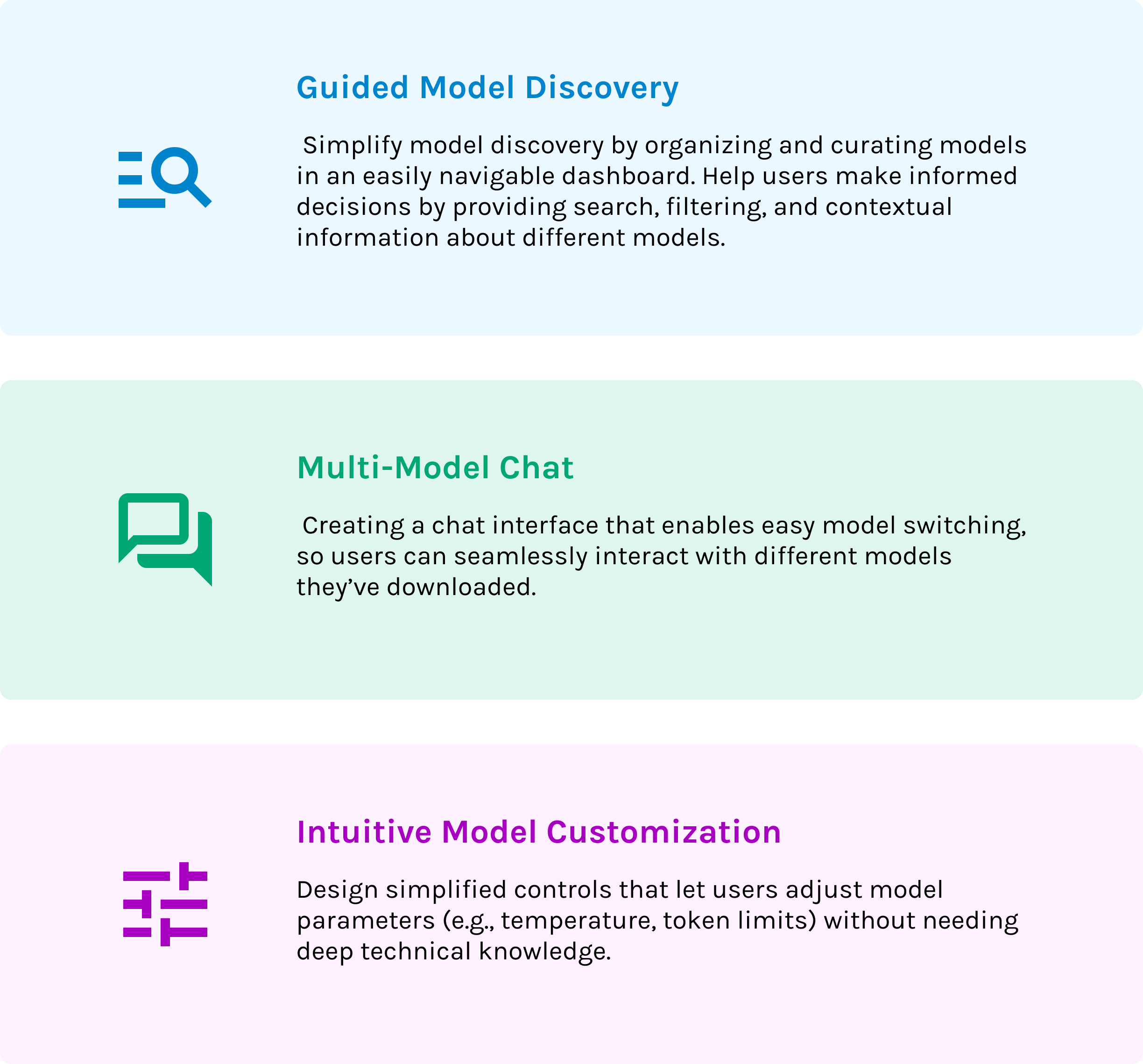
After sharing the learnings with my team and considering both user needs and technical feasibility, we prioritized 3 key areas to focus on for our MVP.
I worked closely with developers to understand which features are necessary and technically feasible. I then developed the Information Architecture for the MVP.
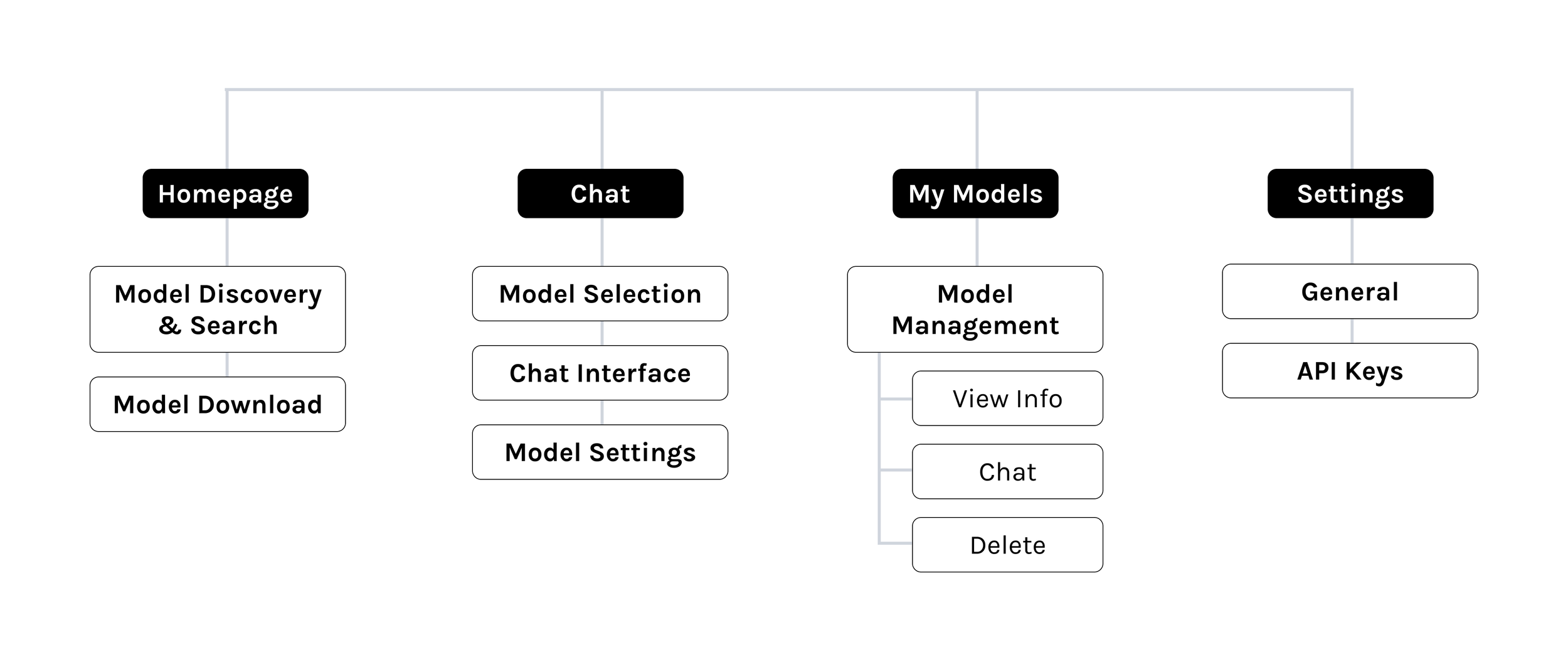
We follow an agile, iterative approach. Each week, I share wireframes with the team to align on core features and collect feedback from developers and stakeholders. Then, I move into high-fidelity design and iterate based on the feedback.
Design Solution #1
Model Discovery
Challenge
Balancing complex technical details with a clear and usable interface.
Context
An open-source model information card contains extensive technical data, often with 10 or more versions available for download.
First-time users can feel overwhelmed by this volume of information, even though it’s essential for informed decision-making.
Approach
I interviewed AI developers on our team to learn how they evaluate and choose from different models. Through a card-sorting exercise, I identified which data points mattered most and how users prioritize them.
Findings - What matters when choosing an open-source LLM
1. Model Fit: Users need a quick way to see if a model is right for their use case.
2. Community Indicators: Hugging Face likes and download counts offer valuable social proof.
3. Release Date: Developers often want the newest models to stay on the cutting edge.
4. Technical Details: Architecture, summaries, documentation, and performance benchmarks help users compare models.
5. Resource Requirements: Knowing model size and RAM needs is crucial to ensure compatibility with their setup.
Stage 1: Browsing Different Models
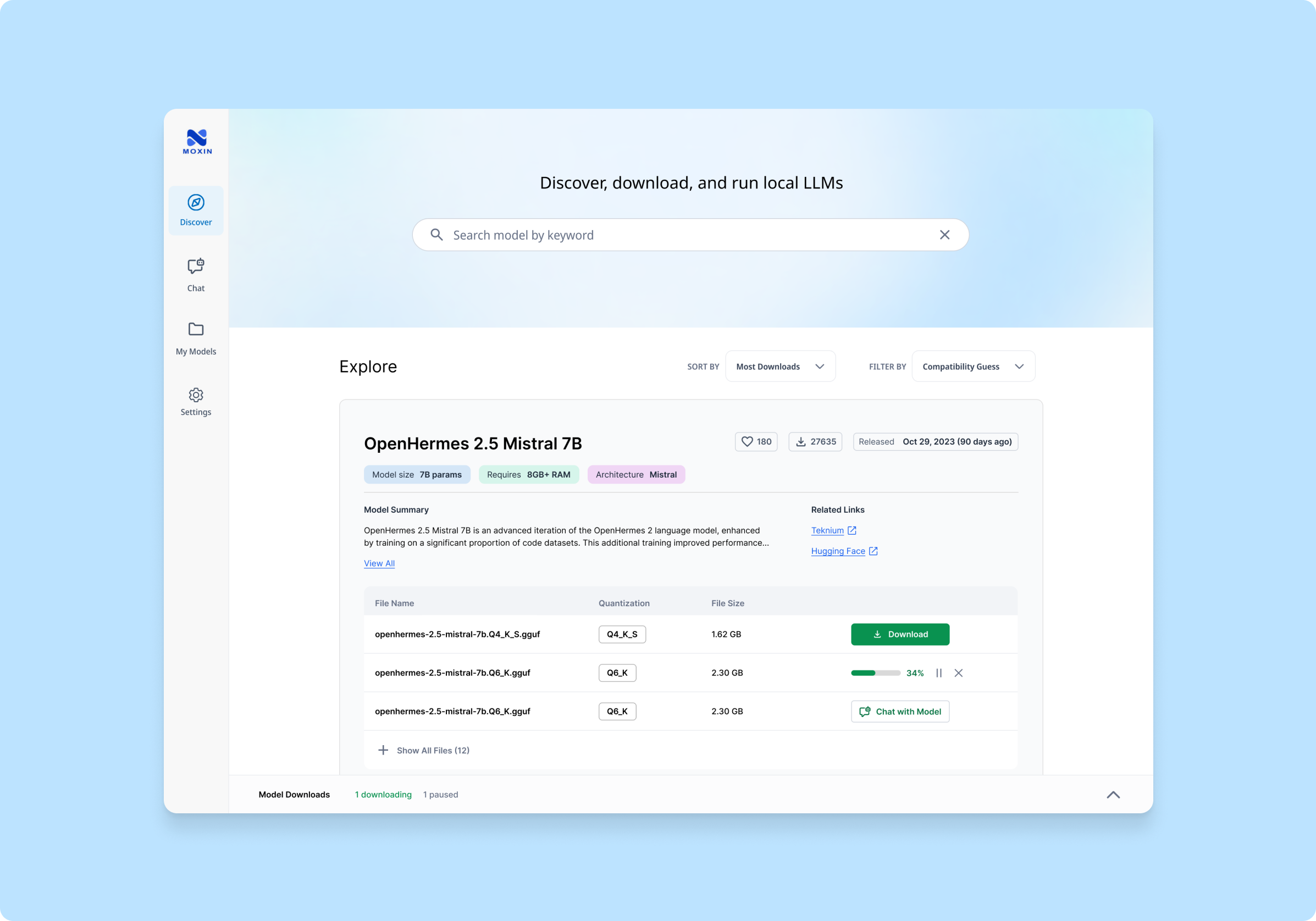
Key Information At A Glance
Stage 2: Choosing a model to download
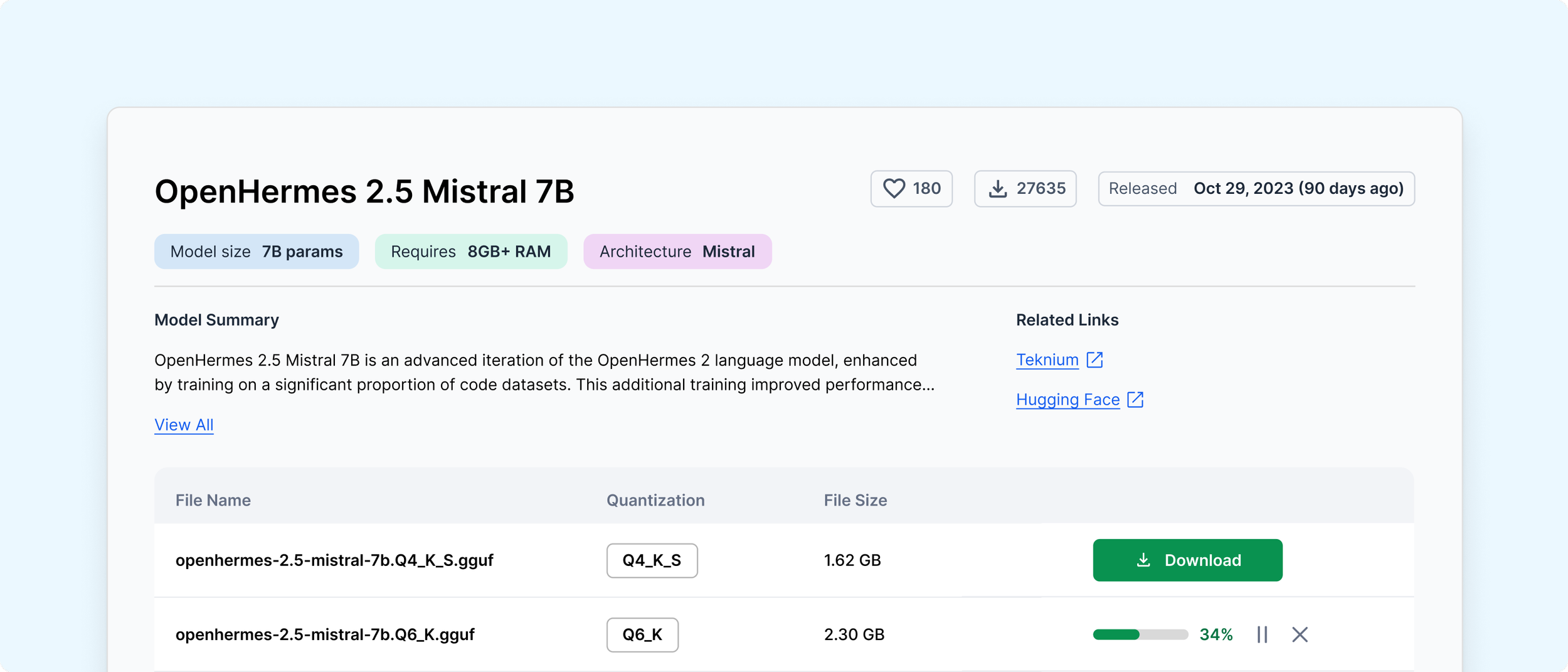
Deep dive into a model
At this stage, users need to quickly judge whether a model suits their needs. By highlighting key information with tags and previews, the design enables them to decide at a glance if a model is of interest.
After choosing a model, users want detailed performance data and need to pick a version, which can be overwhelming. By using progressive disclosure, we guide them to explore the information step by step, preventing overload.
Design Solution #2
Multi-Model Chat
Challenge
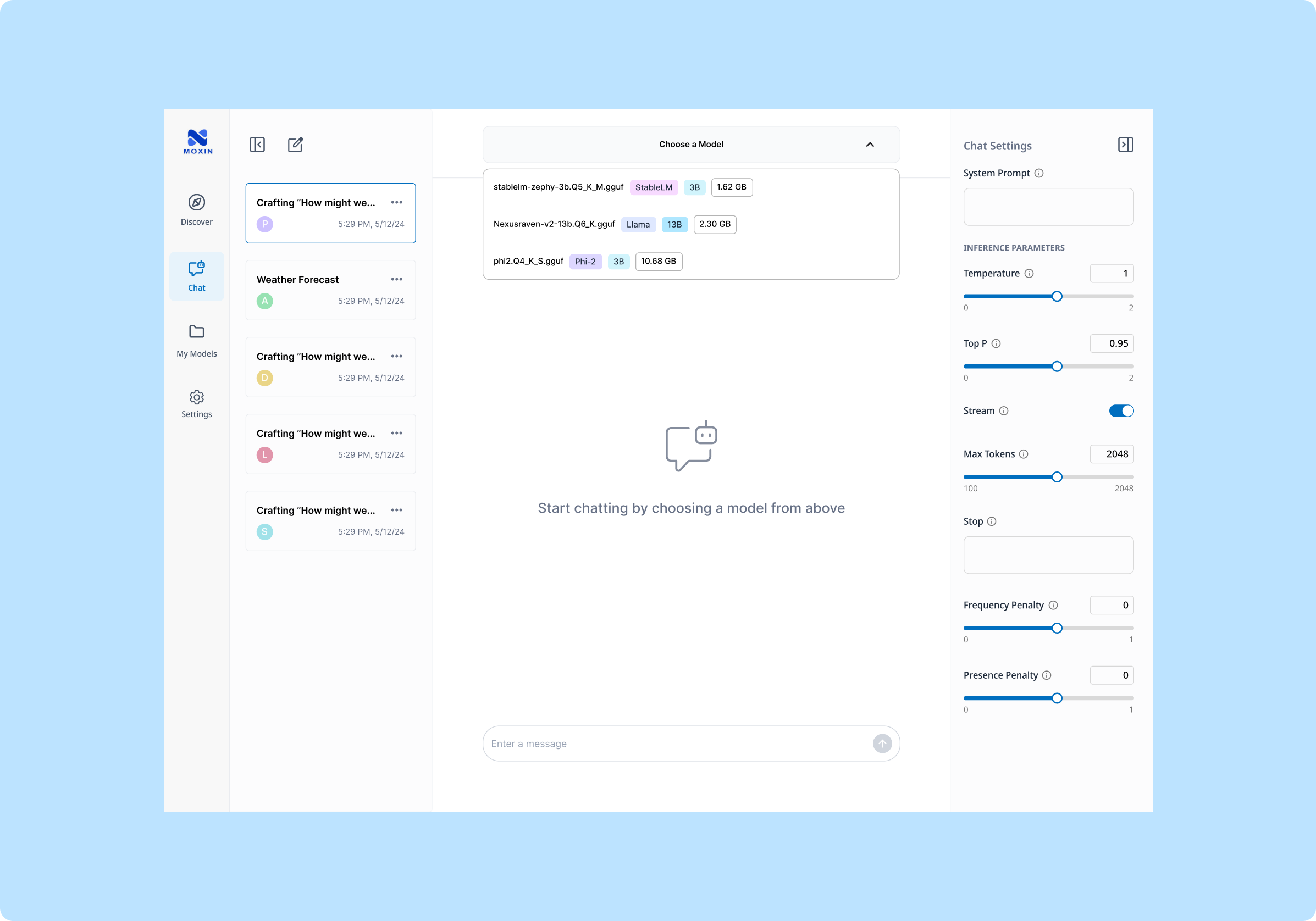
Moxin allows users to switch between various open-source models, sometimes even in the middle of a conversation. Different chats might also map to different models.
This flexibility can create confusion about which model is currently active. Our goal is to provide clear, intuitive indicators that keep users informed about which model they’re interacting with at all times.
Key Design Decision #1
Visual Cues for Quick Model Recognition
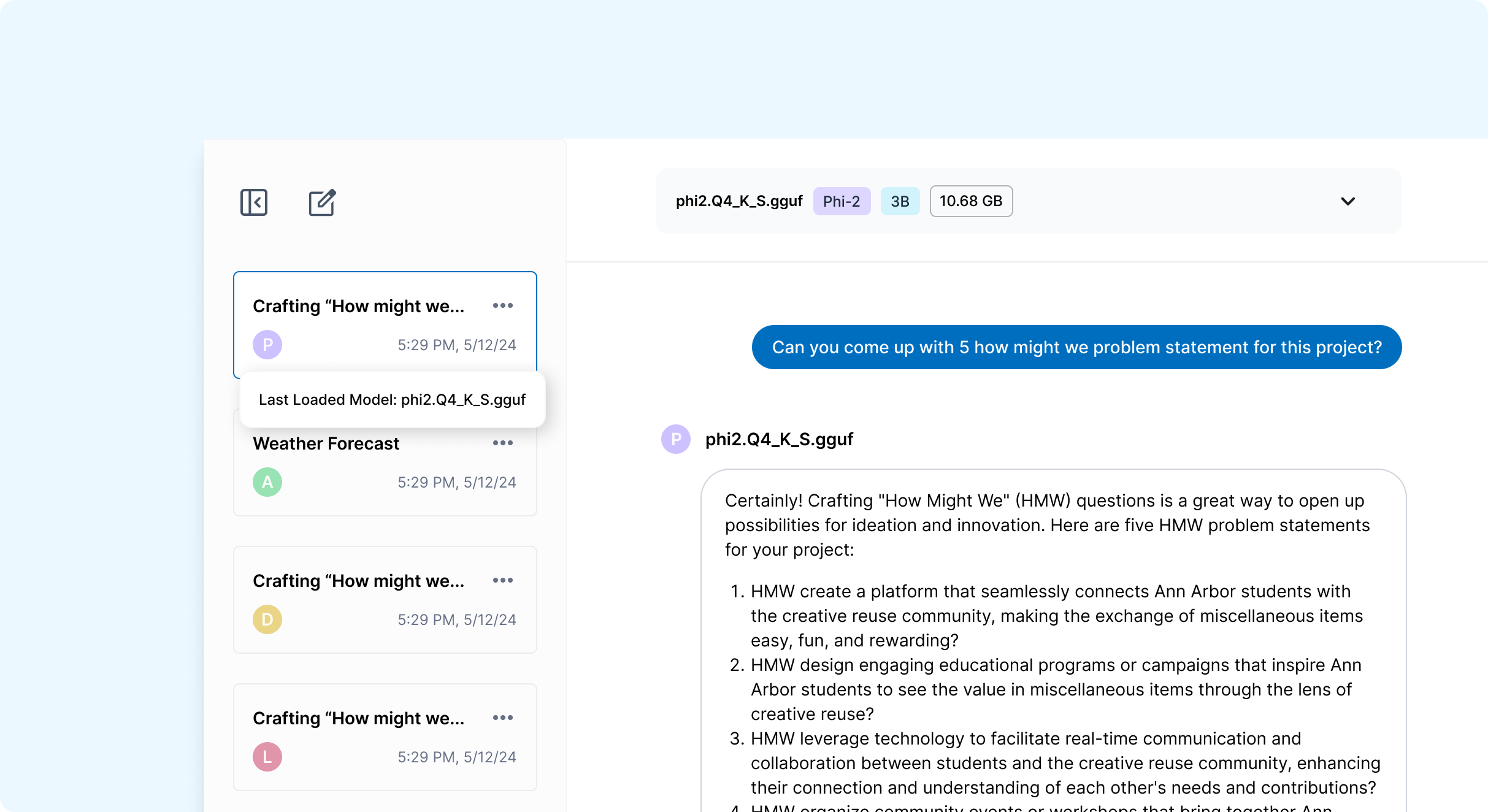
Avatars for Models
Open-source models often come with long, hard-to-memorize names. This can create confusion when juggling multiple models in a single interface.
Here, each model is represented by a uniquely color-coded avatar and initial, giving users a quick visual cue to identify which model they’re conversing with.
Key Design Decision #2
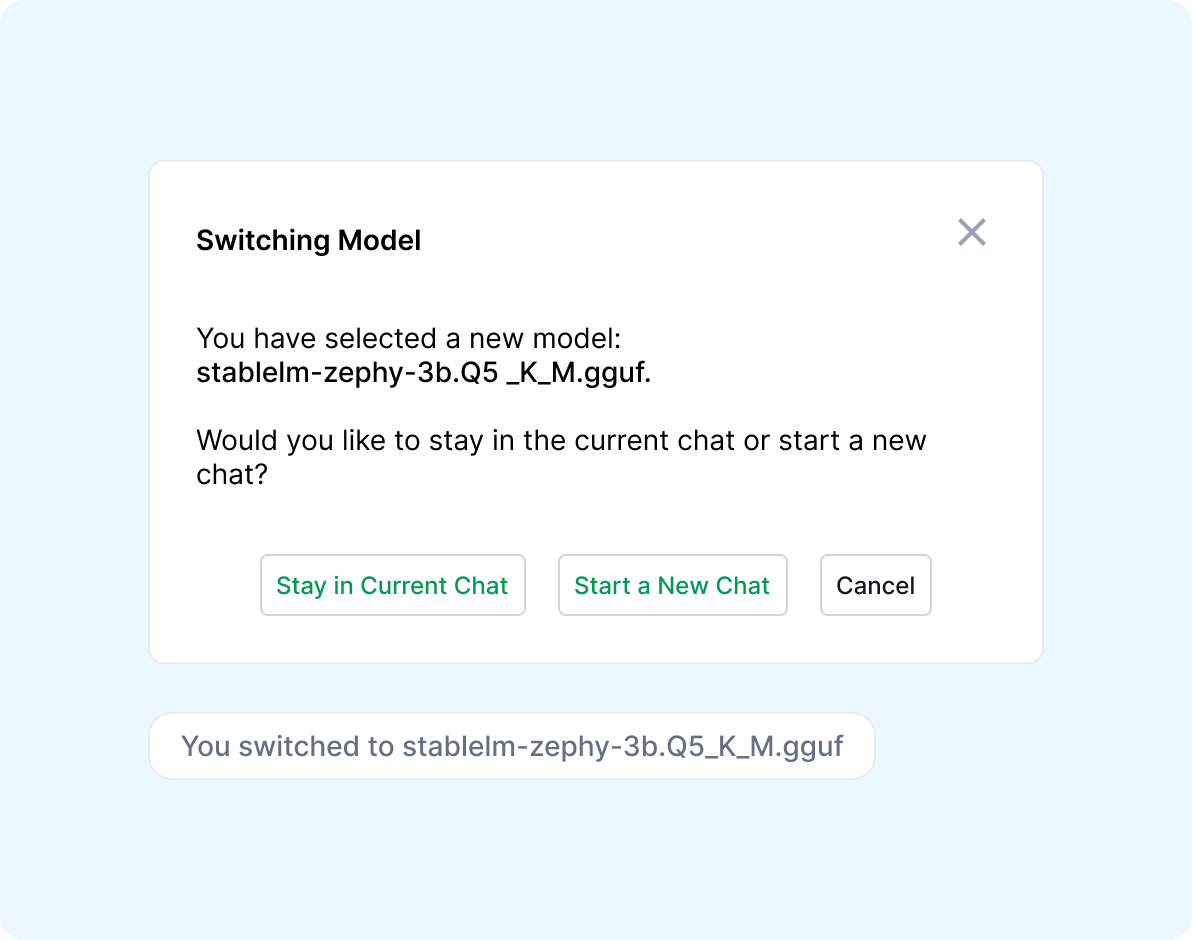
Clariying User Intentions &
Communicating System Processes
When switching models during a chat, by surfacing both choices - stay or start fresh - in a pop-up, we give user the choice and accommodate different workflows.
By providing a confirmation message, the design ensures users remain fully aware of the model switch they’ve made.
On-demand Detail via Tooltips
But sometimes, a single letter isn’t enough. To confirm the exact model name, users can hover over the avatar and see a tooltip then displays the full model name, which ensures clarity without cluttering the interface.
Lessons Learned
Understanding the Technical Context of a Niche Product
The Importance of Prioritizing and Scoping Down for an MVP
Adapting to Technical Constraints
When I first joined this project, I could not understand a thing on the open-source LLM interface, not mentioning designing it. I had to quickly learn the technical concepts. Gaining a deeper understanding allowed me to collaborate better with developers and create designs that aligned with both user needs and technical realities.
Working with the team, I learned the importance of focusing on the most critical features for our initial release. Although there were countless exciting ideas and advanced capabilities, we realized we had to get the core essentials right before expanding further.
The project used a developing front-end framework, which sometimes limited the feasibility of certain design ideas. By consulting closely with developers, I was able to make informed trade-offs that preserved usability while staying within technical bounds.